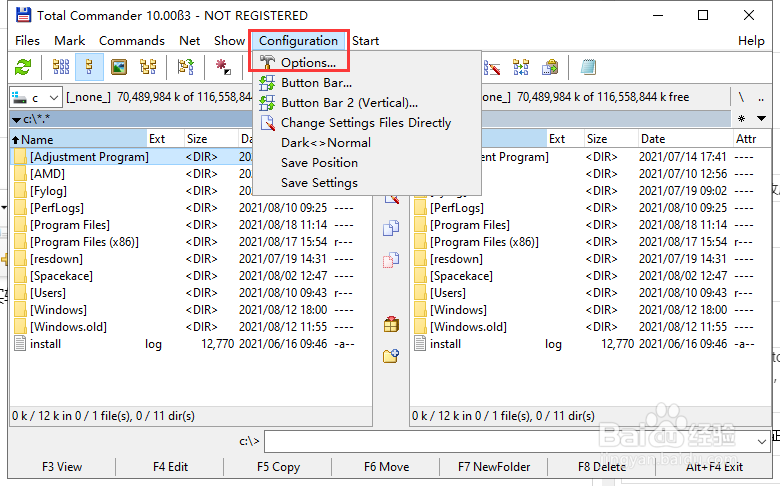
1、打开【total commander】,找到【configuration】,点击【options】。
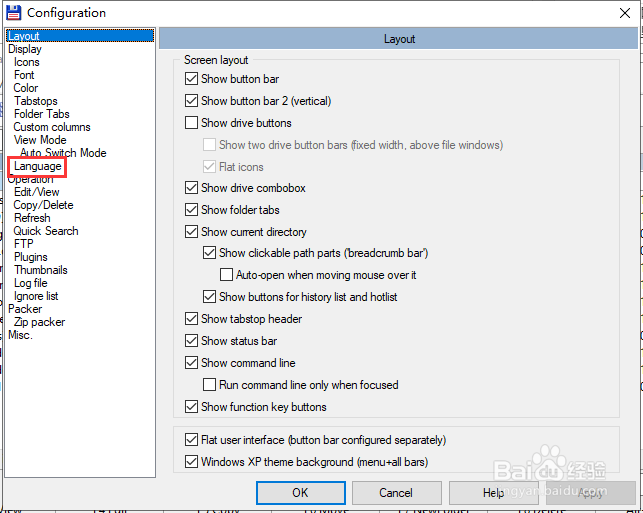
2、选择【language】。
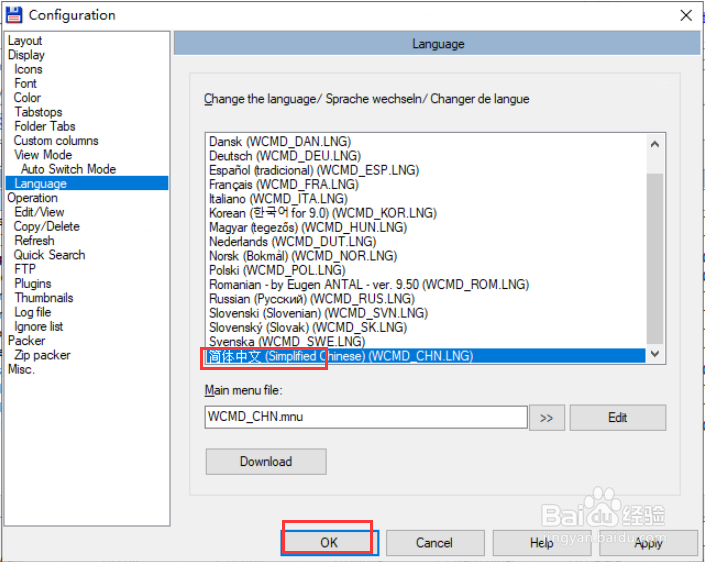
3、选择【简体中文】,点击【ok】。
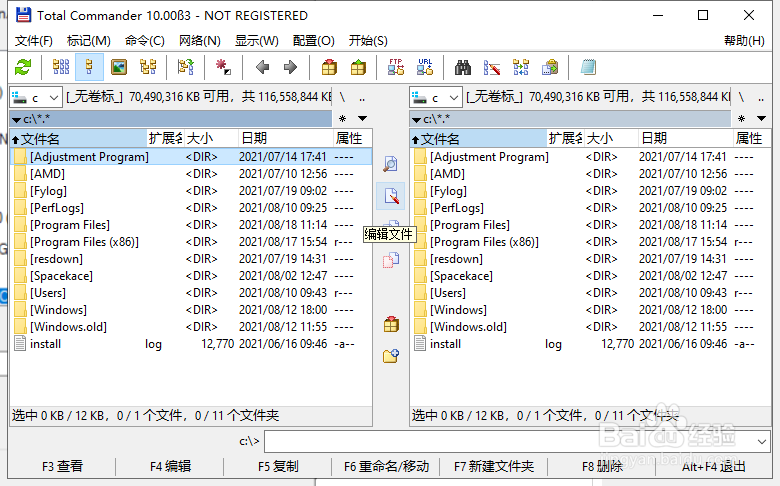
4、返回即为中文界面。
1、打开【total commander】,找到【configuration】,点击【options】。
2、选择【language】。
3、选择【简体中文】,点击【ok】。
4、返回即为中文界面。
时间:2026-04-24 02:08:13
1、打开【total commander】,找到【configuration】,点击【options】。
2、选择【language】。
3、选择【简体中文】,点击【ok】。
4、返回即为中文界面。
1、打开【total commander】,找到【configuration】,点击【options】。
2、选择【language】。
3、选择【简体中文】,点击【ok】。
4、返回即为中文界面。
