PSPad editor怎么设置插入模式光标为半区块

 时间:2026-04-22 13:37:46

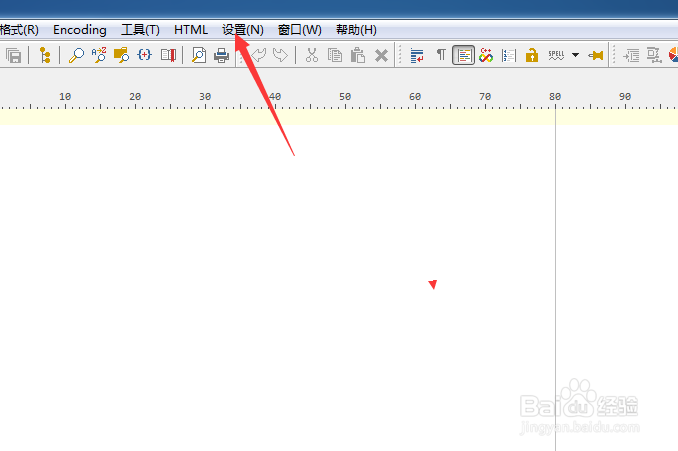
1、点击菜单中的设置菜单

PSPad editor怎么设置插入模式光标为半区块

2、弹出了下拉菜单选中为首选项

PSPad editor怎么设置插入模式光标为半区块

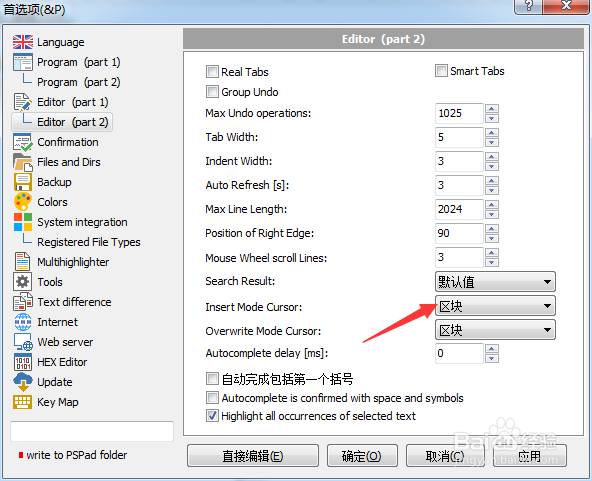
3、点击editor选项

PSPad editor怎么设置插入模式光标为半区块

4、点击insert mode cursor选项

PSPad editor怎么设置插入模式光标为半区块

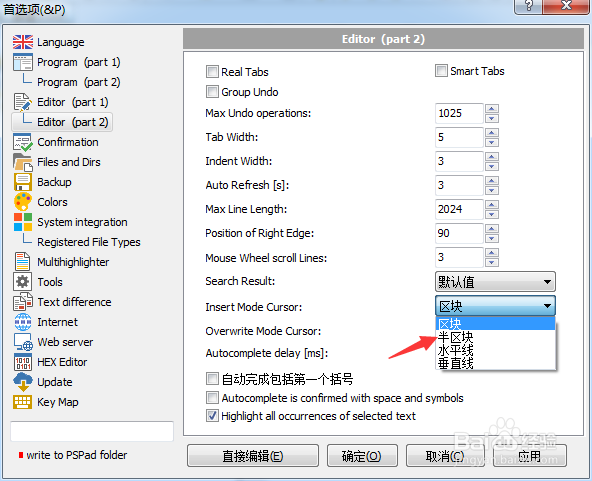
5、弹出了下拉菜单

PSPad editor怎么设置插入模式光标为半区块

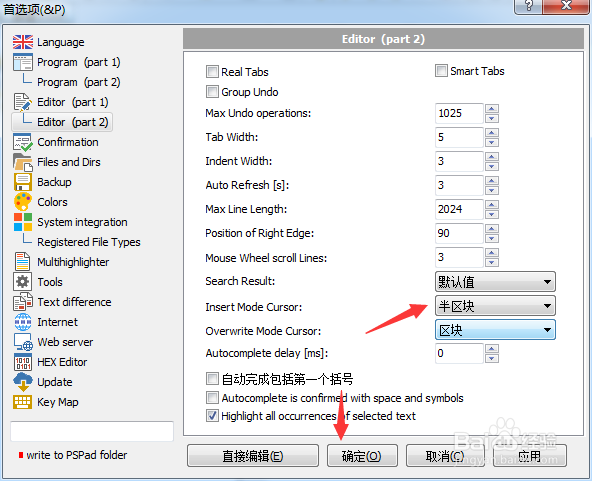
6、选择为半区块之后,点击确定

PSPad editor怎么设置插入模式光标为半区块

  • PSPad editor怎么菜单图标集为valka
  • PSPad editor怎么开启顶部面板
  • PSPad editor怎么工具栏图标集为pspad
  • PSPad editor怎么工具栏图标集为silk
  • PSPad editor怎么设置最大撤销操作数
  • 热门搜索
    怎么样开淘宝网店 血象高是怎么回事 税金怎么算 怎么更改电脑开机密码 lol游戏中怎么回复好友 党费怎么交 热干面怎么做 社会实践怎么写 长宽高怎么算平方 电脑卡怎么办