PSPad editor怎么开启覆盖现有文件确认

 时间:2026-04-21 18:55:08

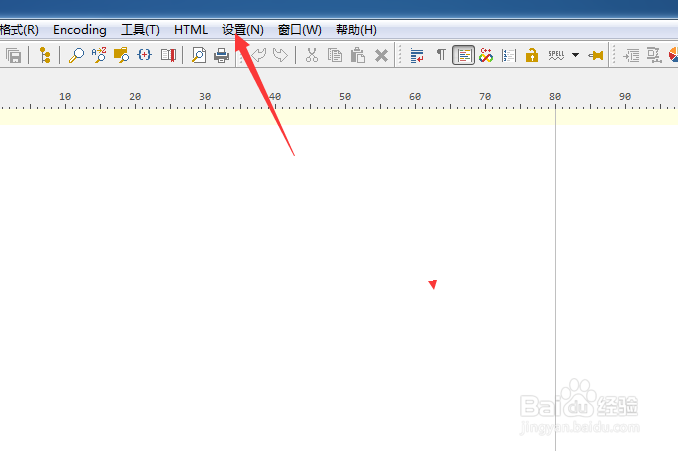
1、点击菜单中的设置菜单

PSPad editor怎么开启覆盖现有文件确认

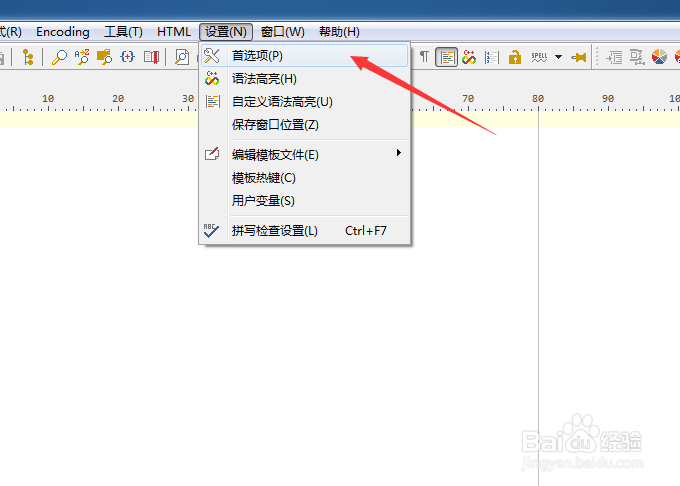
2、弹出了下拉菜单选中为首选项

PSPad editor怎么开启覆盖现有文件确认

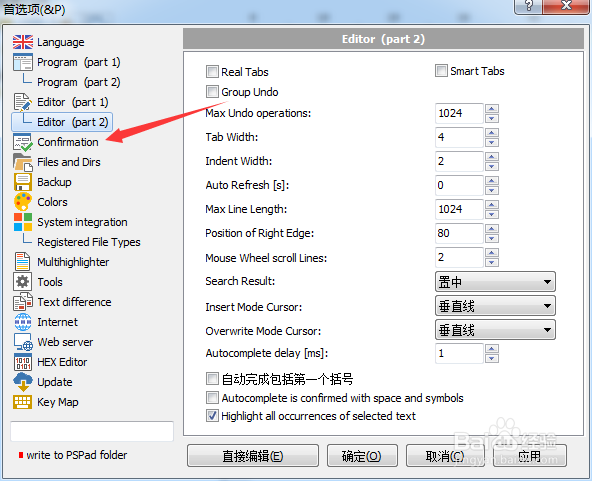
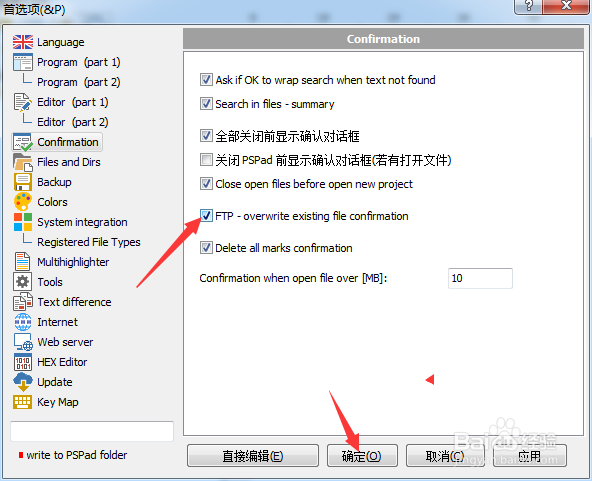
3、点击左侧中confirmation选项

PSPad editor怎么开启覆盖现有文件确认

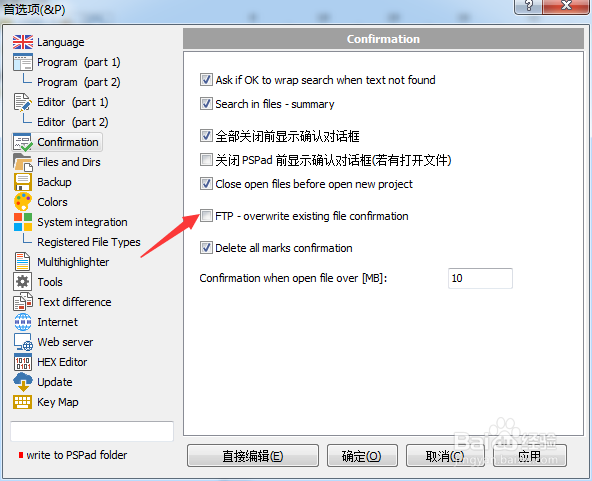
4、勾选上ftp选项

PSPad editor怎么开启覆盖现有文件确认

5、勾选上ftp选项之后,点击确定

PSPad editor怎么开启覆盖现有文件确认

  • PSPad怎么开启关闭pspad前显示确认对话框
  • PSPad editor怎么设置覆盖模式光标为水平线
  • PSPad editor怎么开启在文件中搜索
  • PSPad editor怎么关闭覆盖现有文件确认
  • PSPad editor怎么关闭记住文件状态
  • 热门搜索
    逆回购怎么操作 大话西游手游怎么赚钱 怎么摘隐形眼镜 甲沟炎化脓了怎么办 蓝牙怎么用 cpu怎么超频 大连海事大学怎么样 工龄怎么算 头发稀少怎么办 心眼小怎么办