凯叔讲故事APP怎么关闭系统通知

 时间:2024-10-20 06:46:11

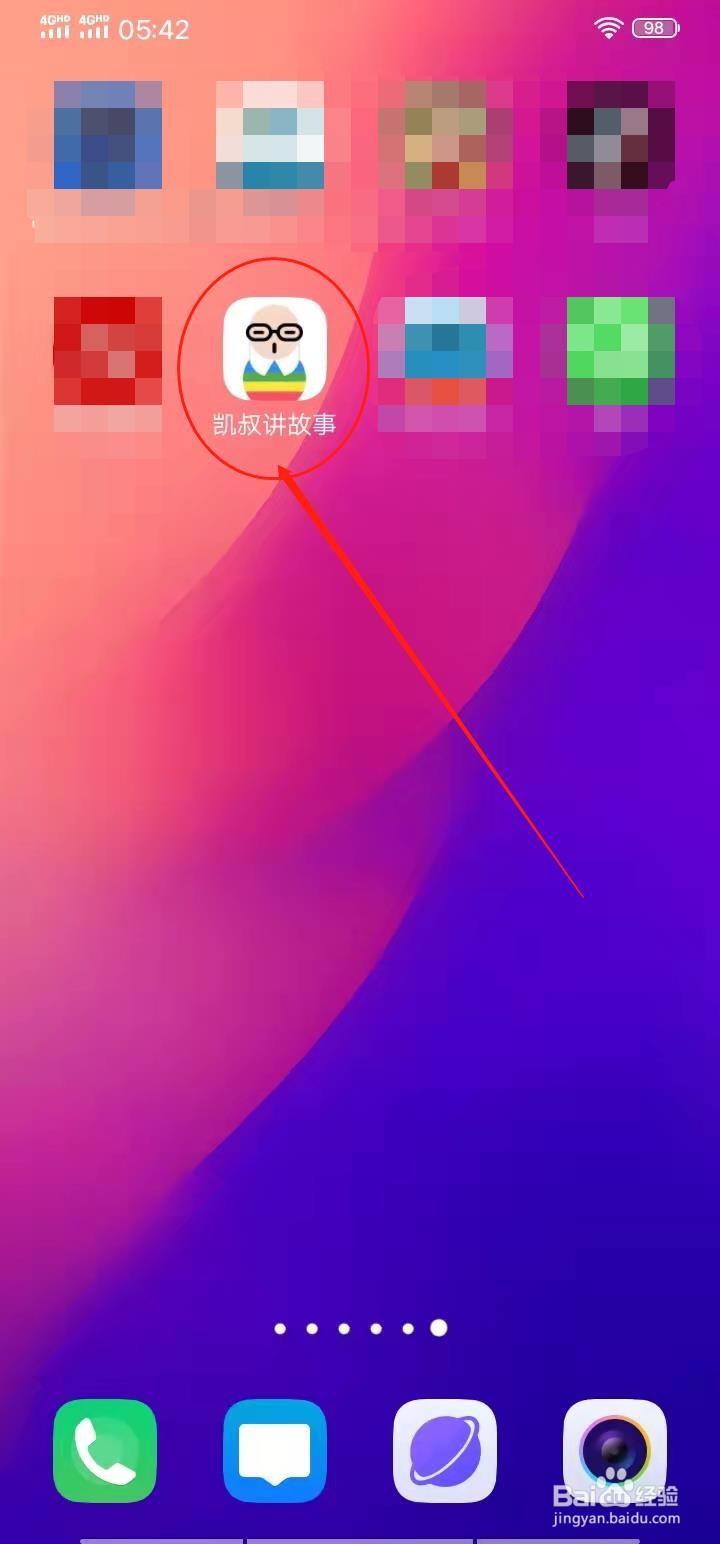
1、点击打开凯叔讲故事APP。

凯叔讲故事APP怎么关闭系统通知

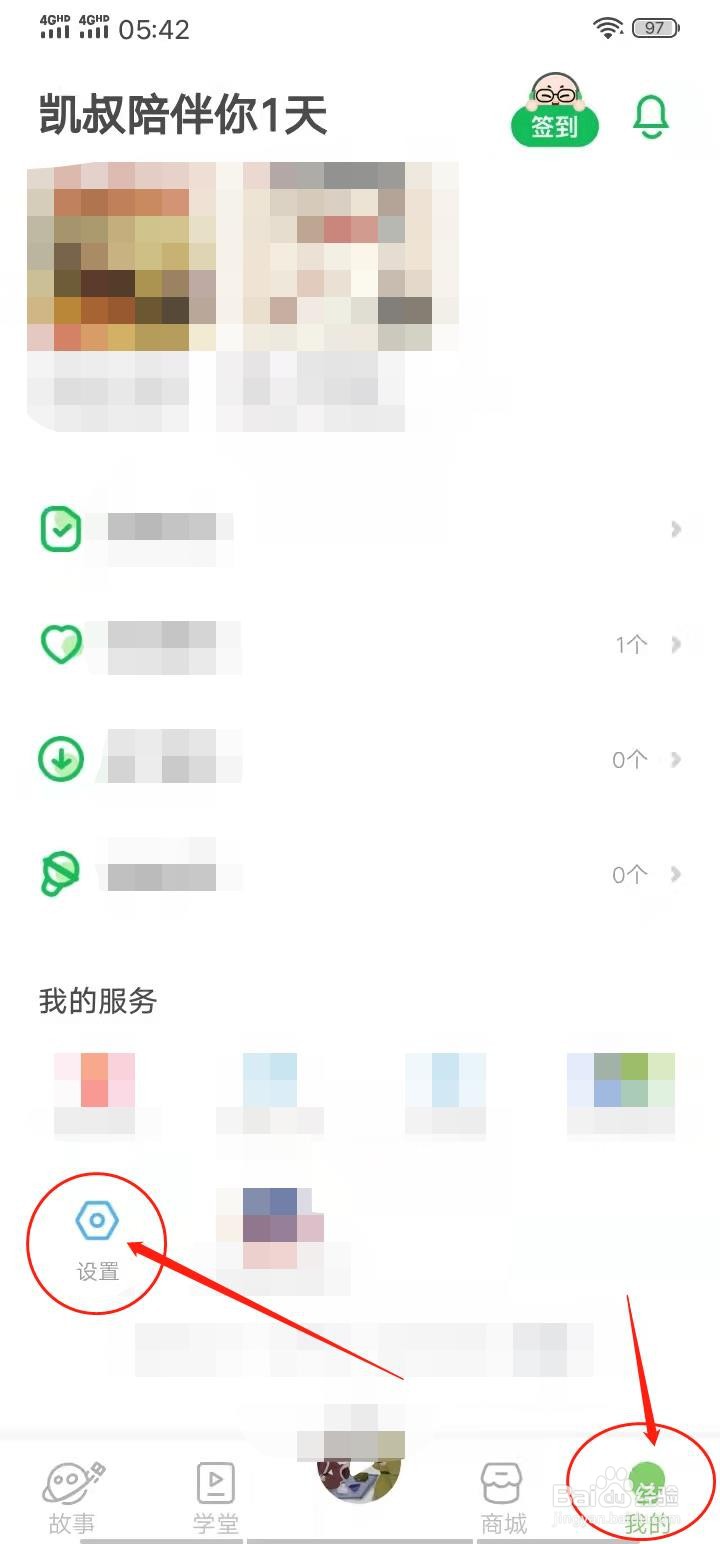
2、点击【我的】,点击【设置】。

凯叔讲故事APP怎么关闭系统通知

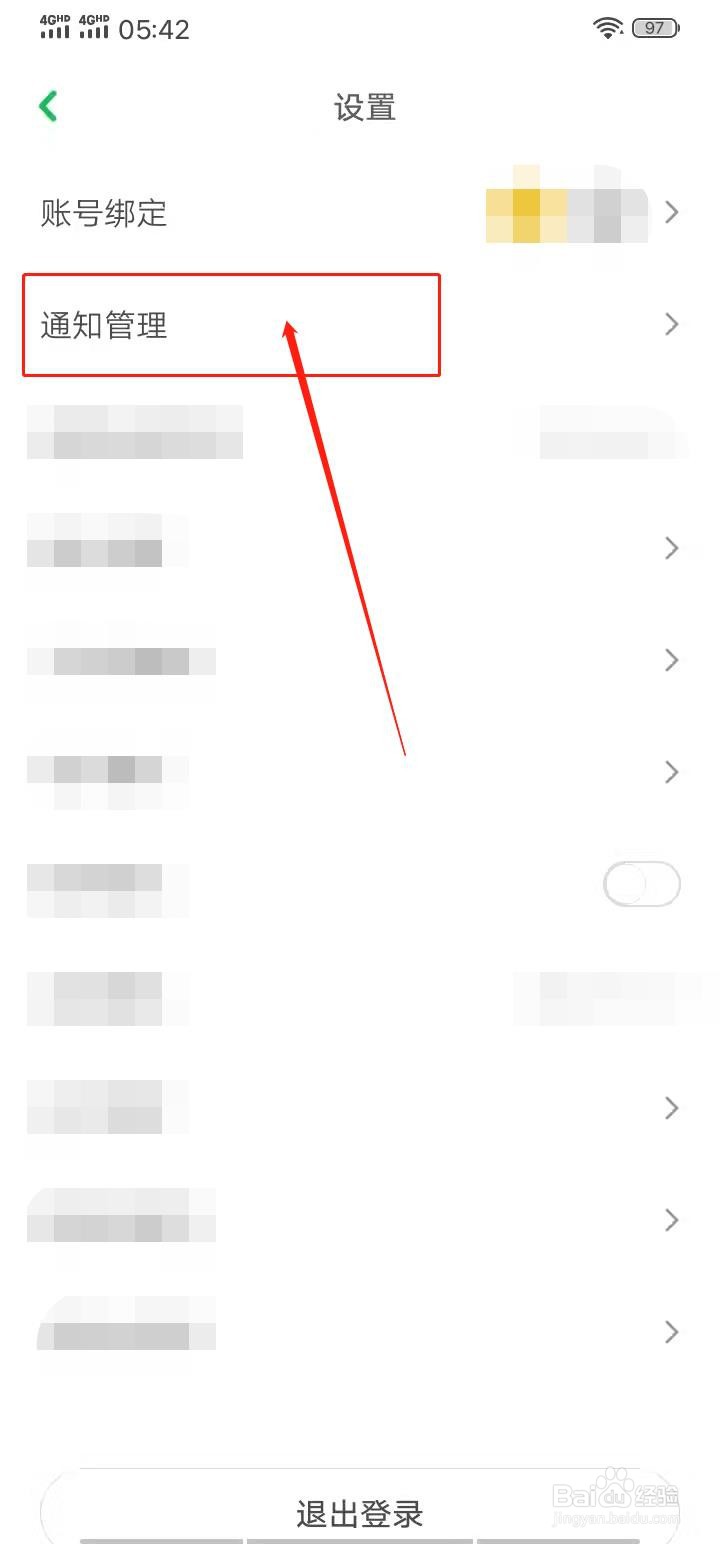
3、点击【通知管理】。

凯叔讲故事APP怎么关闭系统通知

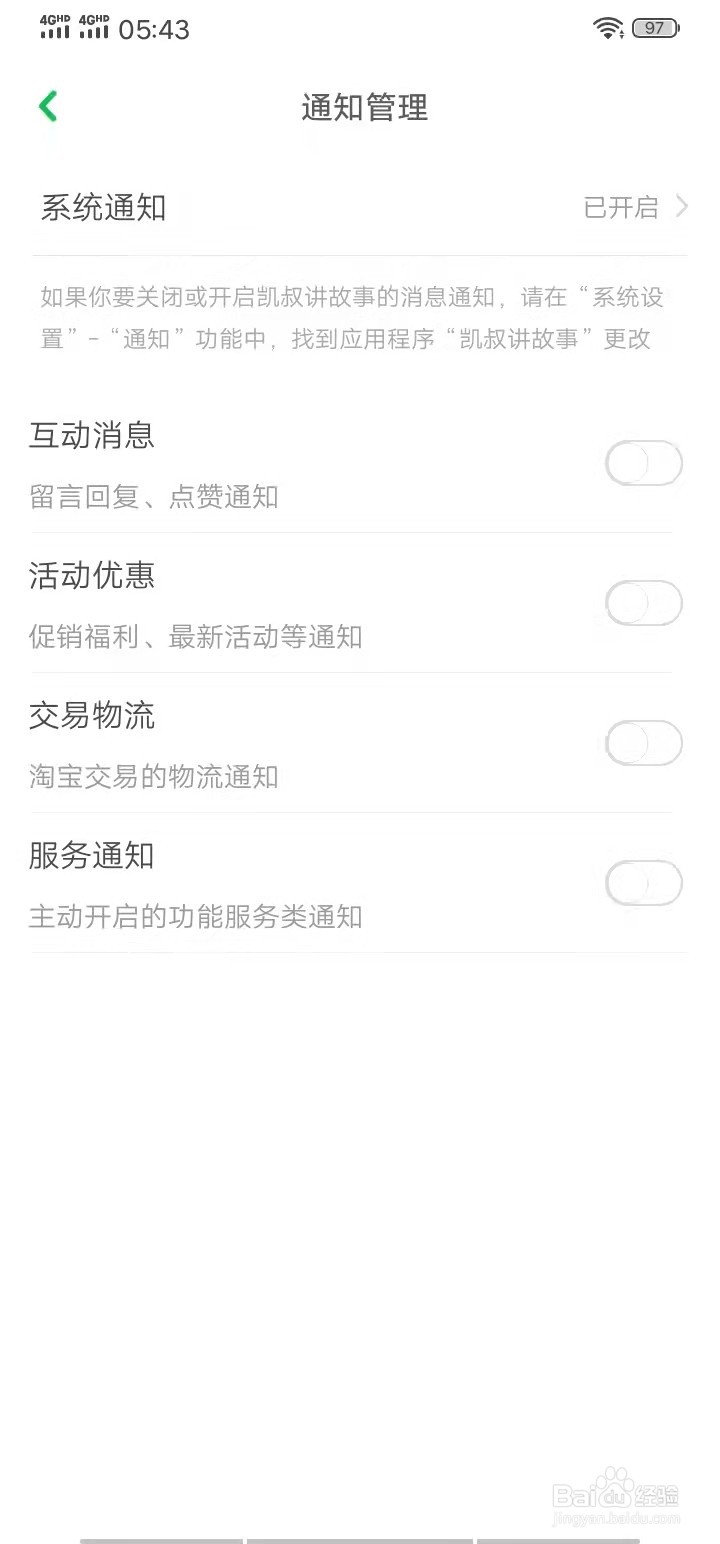
4、进入通知管理页面后,关闭各个通知按钮开关即可。

凯叔讲故事APP怎么关闭系统通知凯叔讲故事APP怎么关闭系统通知
  • 观音竹的养法
  • #新人打卡#知了猴怎么做好吃
  • 草要晒多久才能晒干
  • 和田玉鉴别方法
  • 一锅炖的做法
  • 热门搜索
    兵不厌诈是什么意思 痔疮是什么引起的 ava是什么 什么让生活更美好作文400字 momo是什么 mcm是什么牌子 什么是玻璃钢 巴旦木是什么 政通人和是什么意思 rape是什么意思